Join thousands of learners already on their journey
Complete Learning Management Platform for Every Role
Empower learners, instructors, admins, and super admins with specialized dashboards. Manage courses, track progress, conduct live sessions, and analyze performance — all in one unified platform.
Student
Access live sessions, tests, assignments & track your progress
Educator
Manage batches, create content & track student performance
Course Admin
Oversee courses, manage batches & control user access
Platform Admin
Complete platform control with advanced user management
DIGIT LMS Features
Experience comprehensive learning management with advanced tools designed for Student,Educator,Course Admin,Platform Admin - all in one unified platform.
Multi-Role Access Management
User management system for Learners, Instructors, Admins, SuperAdmins with role-specific dashboards and permissions.
Interactive Learning Content
Rich content management with live sessions, assessments, polls, assignments, and resource sharing for engaging learning experiences.
Advanced Analytics & Reporting
Detailed progress tracking with attendance reports, assessment results, and comprehensive learner analytics for data-driven insights.
Collaborative Communication
Batch-wise discussions, announcements, and interactive communication tools to foster engagement between learners and instructors.
Course & Batch Management
Streamlined course creation and batch organization with flexible scheduling and learner allocation for optimal learning experiences.
Enterprise-Level Security
Robust security features with user access controls, data protection, and administrative oversight for safe learning environments.
Start Your Learning Journey
Experience seamless learning with batch-wise access, interactive content, real-time progress tracking, and collaborative discussions designed to accelerate your growth.
Interactive Learning
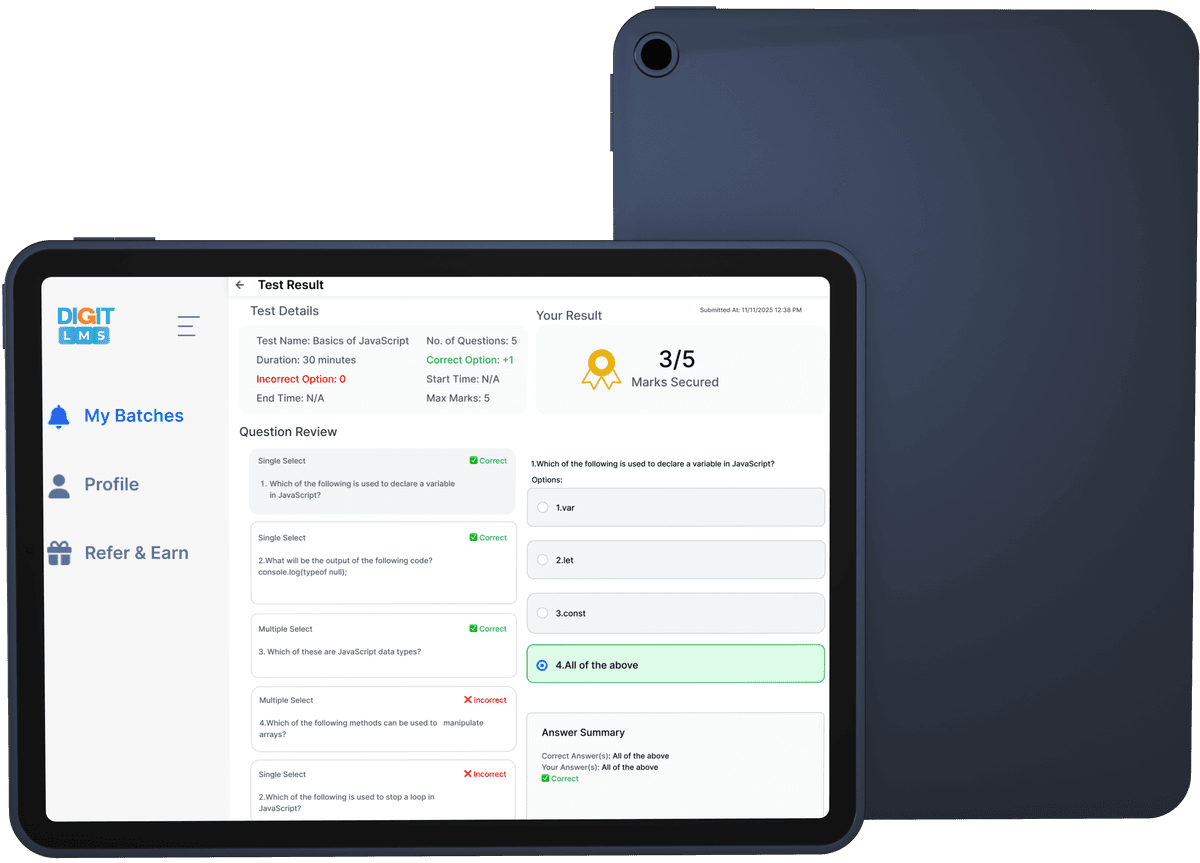
Access live sessions, interactive polls, and comprehensive resources all in one place for seamless learning.
Progress Tracking
Monitor your learning journey with detailed assessment results and performance analytics.
Collaborative Environment
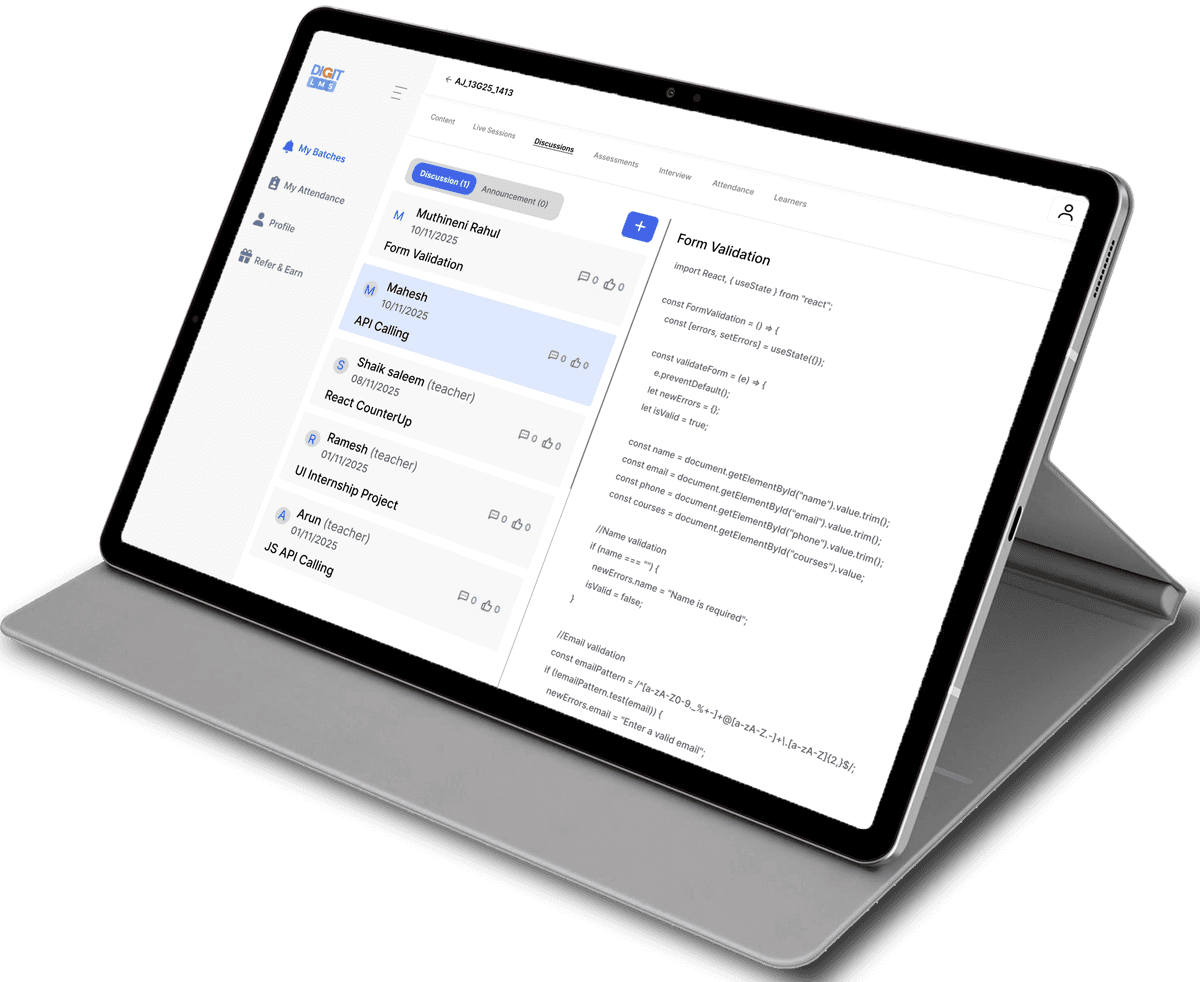
Engage in batch-wise discussions, clarify doubts, and connect with peers and instructors.
Organized Learning
Stay updated with attendance tracking, announcements, and structured batch-wise content access.
Instructor Command Center
Empower educators with comprehensive tools to manage batches, create engaging content, track student progress, and foster interactive learning environments with advanced analytics and communication features.
Batch Management
Manage multiple batches with comprehensive student tracking and progress monitoring capabilities.
Content Creation Suite
Create, edit, and organize live sessions, tests, polls, assignments, and learning resources seamlessly.
Analytics & Assessment
Track student performance with detailed analytics, test results, and assignment evaluations.
Interactive Communication
Facilitate discussions, clarify doubts, and make announcements to keep students engaged.
Management Center
Comprehensive administrative control designed for educational leaders. Streamline operations, enhance security, and drive organizational success with our advanced management suite.
System Admin
Institutional Management
Empower your educational administrators with comprehensive tools for course management, user oversight, and operational excellence across all learning environments.
Course & Subject Management
Complete control over curriculum structure and content organization
Batch Operations
Create, configure, and manage learning cohorts with advanced scheduling
User Access Control
Verify registrations, approve learners, and manage instructor permissions
Analytics & Reporting
Monitor platform performance and generate comprehensive insights
Platform Admin
Ultimate Platform Control
Ultimate authority with system-wide control, advanced security features, and comprehensive platform management capabilities for organizational leaders.
Universal Control
Complete authority over all platform operations and user management
Advanced Permissions
Granular permission controls and role-based access management
User Bin Management
Archive, restore, and permanently manage user data lifecycle
Platform Optimization
System-wide configurations and performance optimization tools
Courses & Batch Management
Oversee all courses, batches, and associated configurations
Make It Yours Completely
Transform the DIGIT LMS Portal into your own branded learning platform. Complete customization, seamless integration, and enterprise-level white-labelling solutions that make your brand the star.
Complete Brand Transformation
Key Benefits
Your Brand LMS
yourdomain.com
Comprehensive LMS Toolset for Learners, Instructors & Administrators

Attendance

Batches

Assignments

Polls

Content

Discussion

Reports

Recycle

Tests

Live
Success Stories
Discover how DIGIT LMS Portal transforms learning experiences for students, instructors, and administrators across educational institutions
Frequently Ask Questions
Official answers to the most common questions about DIGIT LMS, its roles, features, and administrative capabilities.
What is the DIGIT LMS Portal?
The DIGIT LMS Portal is a comprehensive learning management system designed to facilitate online education. It provides tailored dashboards for Learners, Instructors, Admins, and SuperAdmins, enabling efficient content delivery, user management, and progress tracking.
What features are available on the Learner Dashboard?
Learners can access batch-specific content including live sessions, tests, polls, assignments, and shared resources. They can also track attendance, participate in discussions for doubt clarification, view announcements, and monitor assessment results for progress tracking.
How do Instructors manage content and learners?
Instructors have tools to manage batch allotments, create, edit, and delete content such as sections, live sessions, tests, polls, and resources. They can clarify doubts in discussions, make announcements, mark attendance, view reports, and analyze learner performance through assignments, interviews, and tests.
What is the role of the Admin and SuperAdmin in the platform?
Admins manage courses, subjects, batches, and user access including verification, registration, approvals, and permissions for learners and instructors. SuperAdmins have full control over all users, can perform admin-level actions, and handle platform-wide management including user archiving and permissions.
Transform Your Learning Journey Today
Join thousands of learners, instructors who trust DIGIT LMS Portal for comprehensive education management. Experience seamless learning with advanced analytics, real-time collaboration, and personalized dashboards designed for every role.